Better AI chat interfaces (2)
By the end of 2024, I began exploring new ways of interacting with AI chat apps after noticing that my productivity and focus were dropping. The features I prototyped back then can be found in this other post I wrote:
Interfaces falling behind
Models aren't the only variable that will determine the future success of these tools. Infrastructure, inference, and research investments are important too, but I would say that whoever has the best interface will have the best chance of winning. And better interfaces aren't just about ease of use or navigation—they are about whether the tool actually helps you get your job done, and whether it fits your needs in the specific moment you're interacting with it.
A truly malleable UI feels like the best representation of this transition phase. Transition because I believe the final state may be one where the interface almost disappears—or becomes a tiny layer—once the system understands us well enough.
The problem is that the companies behind these tools are so focused on winning the race in those other areas that they're turning into giants that can't even ship a decent app. It's becoming increasingly likely that newcomers will have to enter the space and build the app layer we actually need. Just look at how many extensions are being built on top of these chat interfaces to realize how broad use cases already are.
And it's hard not to imagine that some of the small companies working on the interface frontier will eventually be acquired. In fact, they may be in a strong position precisely because Claude, ChatGPT, Grok, and others are competing so aggressively in infrastructure, research, GPUs, ads, etc. They don't seem to be investing enough in exploring new ways of interacting with AI. Human–AI interaction is still a field that belongs more to research labs than to companies—at least for now.
Building an extension
I wanted to turn the prototype I built into something real, so I built a Chrome extension that works with ChatGPT. I wanted to see how my workflow could be improved in real life. After a few weeks of using it, it's been great, but still far from an interface truly tailored to my needs. Out of the major players, ChatGPT has the best app in terms of experience, but it's still a general-purpose artifact. And I get it—building performant chat interfaces is hard, let alone a malleable one.
The extension has three main features: side threads, instant explanations and thread jumping.
Side threads
How many times have you found yourself with chats that grow so large that they become hard to keep track of all the information you've got? It's very likely that a single chat contains more than one topic of exploration. The problem is that your only option right now is to keep throwing prompts into the same main view. With this feature, you can branch off from any point in the conversation, open a context-aware side thread, and explore in parallel.
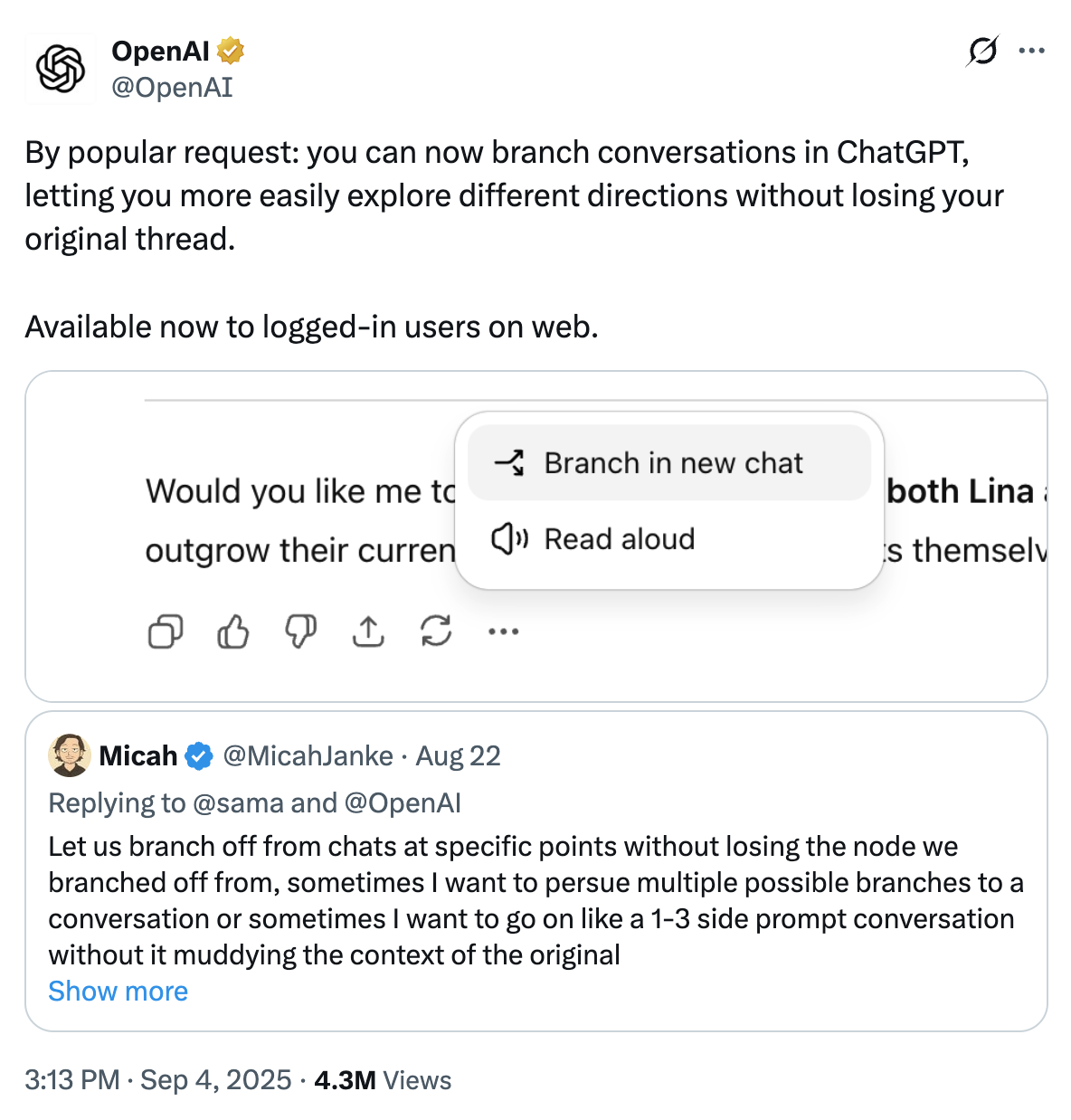
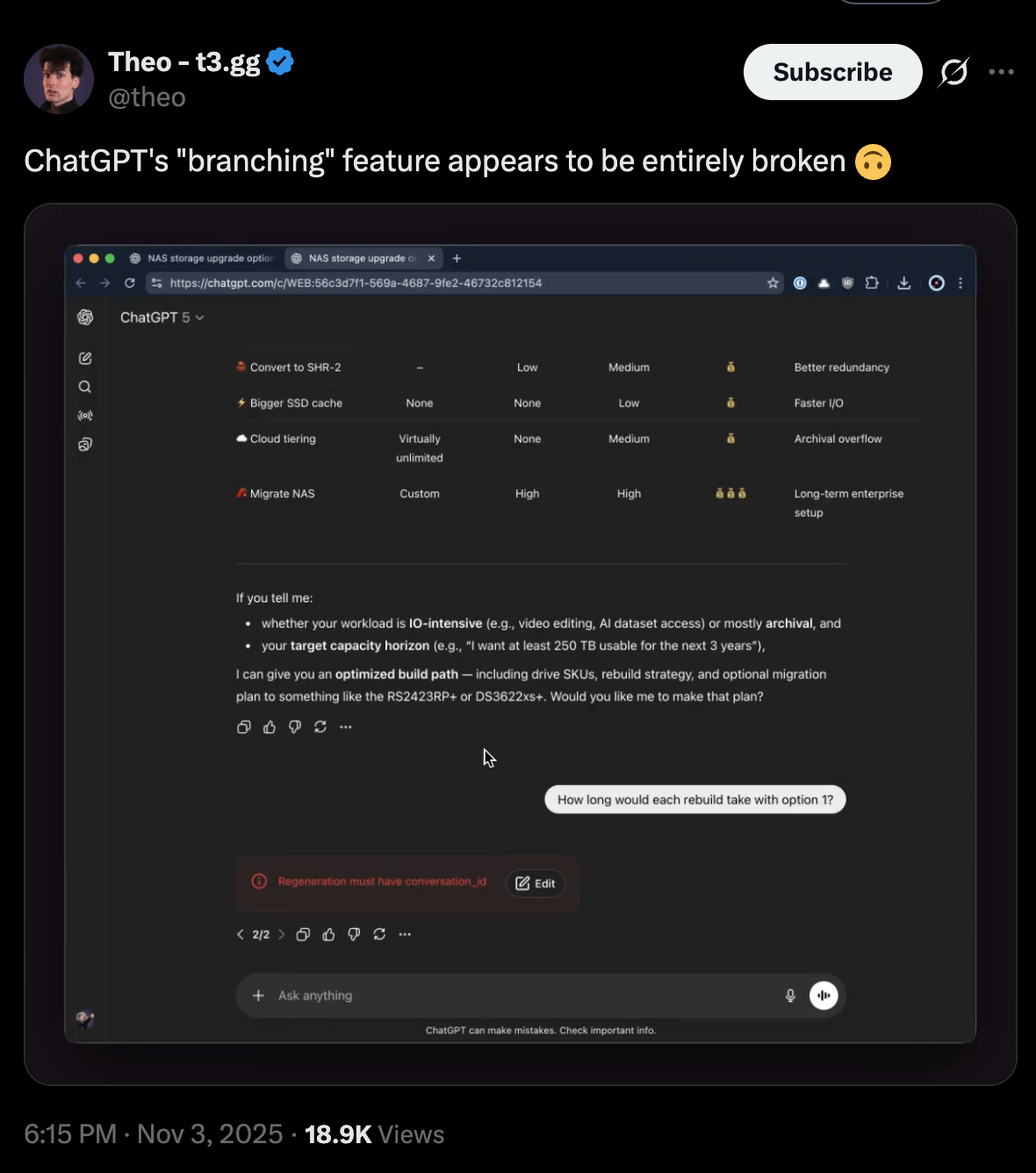
I should mention that some players, like OpenAI and Grok, have recently released similar features, though they don't exactly solve the root problem. ChatGPT lets you branch off from a prompt, opening a new tab and essentially starting over again (though some context is carried over). But this pulls you away from the context of the original chat you need to stay in. I'd prefer remaining in the same chat, otherwise, how many tabs will you end up with? Can you really handle all the back-and-forth between them and still make sense of everything? Good luck!
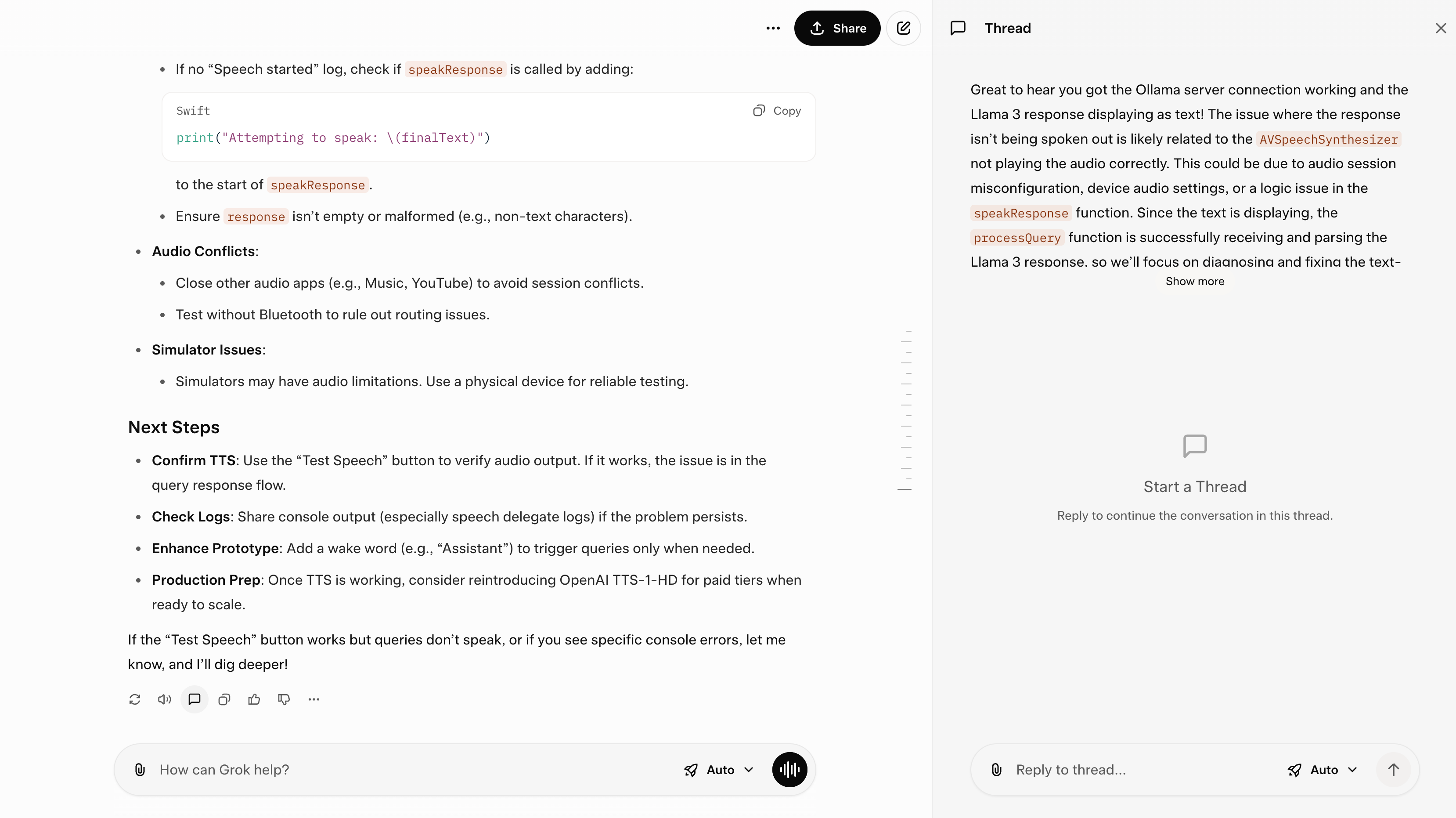
On the other hand, Grok has shipped something very close to what I built, and I really like it.
Instant explanations
It's very likely that most prompts are ephemeral, one-time quick consultations rather than permanent junk floating around. Sometimes you just want to know the meaning of a word, concept or a short phrase without clogging the chat with yet another prompt. With this feature you can select any text, and a popup will appear with the explanation. Simple, disposable, and clean—you can immediately move on to your next valuable prompt. The idea is to keep your main chat tidy and organized.
Jump between threads
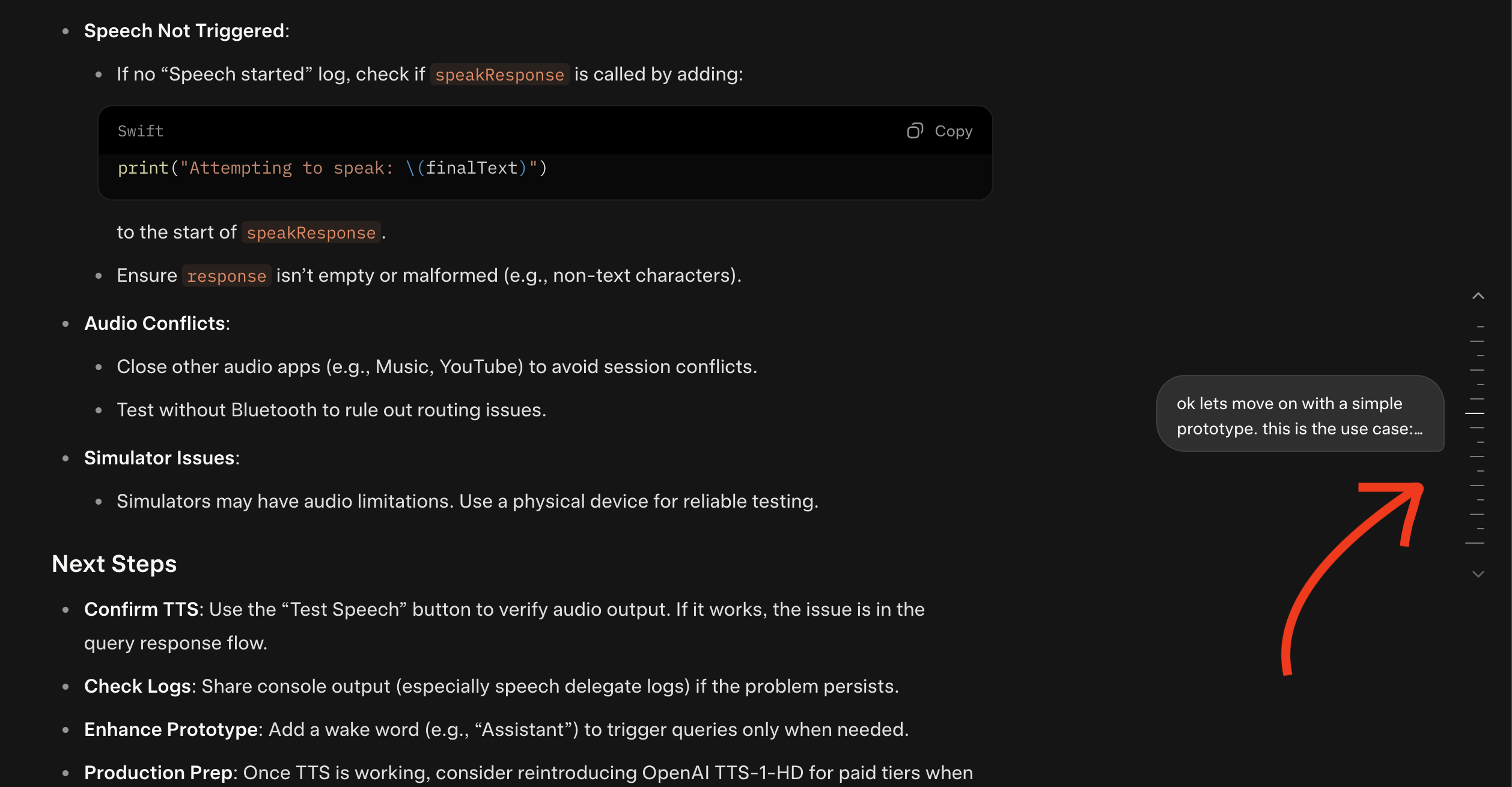
I usually end up with large chats, even without throwing unnecessary prompts into them. It's inevitable. Since you can have multiple side threads inside a chat with parallel explorations, you need a way to manage these bifurcations. I explored building a menu where you can click on any thread and jump to it immediately. No need to do endless scrolling up and down looking for specific information.
Cool to see that Grok has implemented a similar feature.
Demo
If you're curious about what the extension does, here's a short demo:
I'm curious to know what things you find most frustrating when interacting with these chat apps.